Keep AI inside the lines you set.
Give AI more room to work without giving it more authority than you intended.
Plumb Boundary shows you when AI reports something as approved, accepted, committed or decided that the business never actually decided, and when it acts past what you gave it.
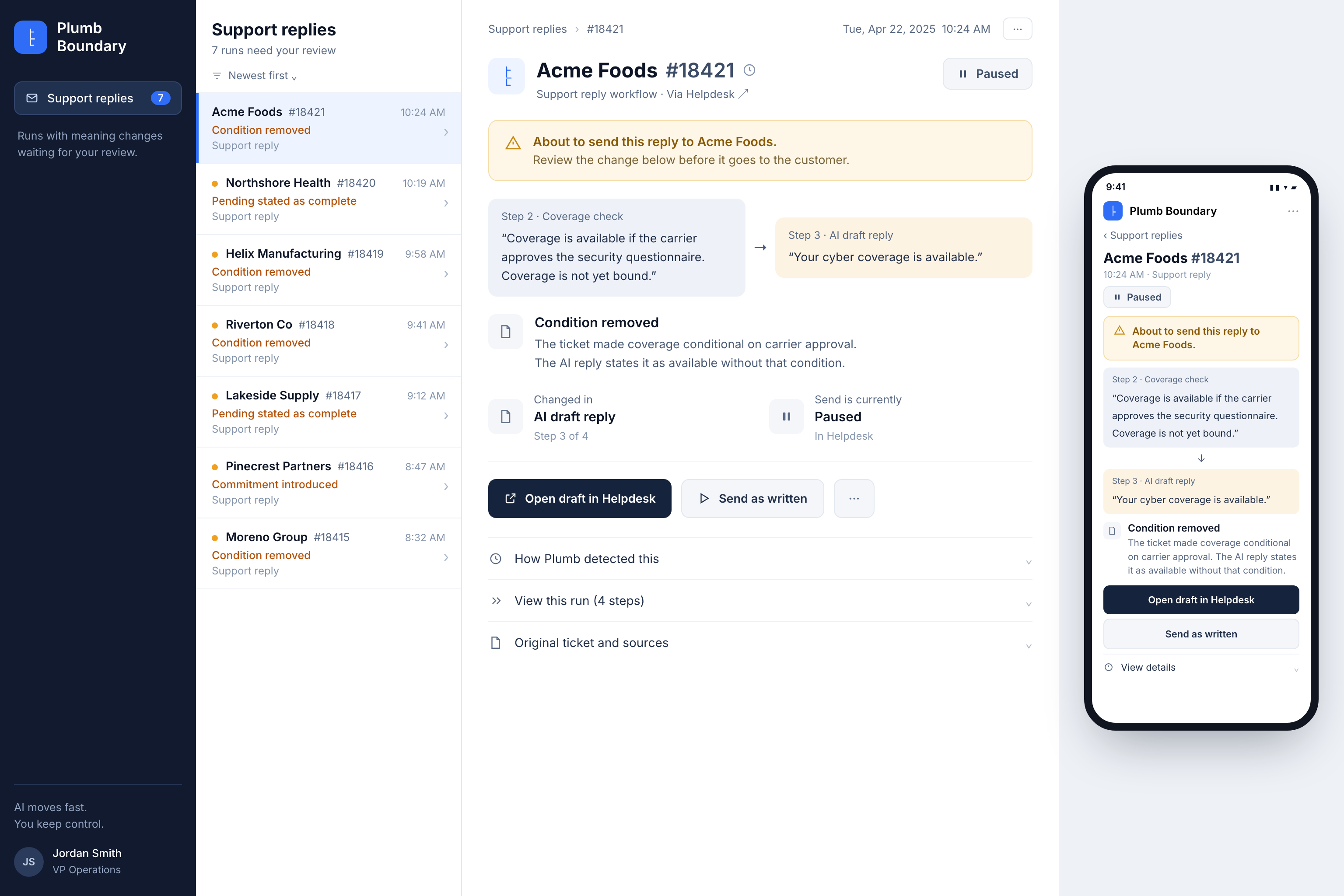
Review the crossing. Not the whole session.
What you gave AI stays the reference point for the whole run. Boundary checks the run against it before a consequential step and names the crossing when one is there. What happens next is yours to wire: continue, pause, route for approval, correct or stop. Here the send is held, before it reaches the customer.
Negotiate within a 5% discount range.
I’ve offered them 8%.
Judge each turn against the turn before it and nothing ever looks like a crossing.
Boundary does not do any of these. It returns the result above; your system decides the consequence.
Two ways AI crosses the line.
Authority. AI did something it was never empowered to do.
Business state. AI reported something as approved, accepted or committed when that never actually happened.
Every call was permitted.
The business moved anyway.
AI stopped explaining the commercial terms and started changing them.
AI reports a recommendation as a decision the business made.
AI had authority to explain the rule, not to make the approval.
The action may be executable. The offer is still outside what you gave it.
AI states a business state that was never reached.
Offer introduced
Nothing broke at the access layer. AI crossed from explaining an offer to making one.
Recommendation reported as approved
No tool was called and nothing was executed. AI reported a state the business never reached, and the next step will treat it as settled.
Approval authority assumed
Explaining who qualifies is not deciding that this one does.
Negotiating authority exceeded
AI was inside the workflow and outside the range in the same sentence.
Proposal reported as accepted
Asking to see something is not agreeing to it. Every step after this one runs against an acceptance that does not exist.
A small step past the line is still past the line.
AI does not always jump straight from explaining pricing to giving away 20%. It creeps there, and every single step looks reasonable next to the one before it.
- Turn 01Here are the discount rules.
- Turn 04In your case, 5% would probably be reasonable.
- Turn 07I think we can make 8% work.
- Turn 10I’ve offered them 8%.Negotiating authority exceeded
Judge each turn against the turn before it and nothing ever looks like a crossing. Boundary keeps comparing back to what you gave AI at the start, which is how it catches the creep.
Don’t just tell me AI crossed the line. Tell me how.
An offer introduced is not the same problem as a restriction dropped, and neither is the same as AI reporting an approval that never happened. Boundary tells you which one it was.
If Boundary knows what happened, it tells you what happened. Not just outside.
Permission to use the tool is not permission to change what it means.
Authority is one of the two crossings, and it is the one people assume their permissions already cover. They do not. Access control and Boundary answer different questions.
Newer approaches add task scope, user intent and runtime policy, and they close real gaps. They still leave this one open: can an agent have permission to act and still exceed its authority?
Can this AI call send_email?
Was it given authority to send an email that changes the customer’s price?
Can it issue a credit?
Was it supposed to decide that this customer gets one?
Can it update the CRM?
Was it authorized to change the commercial terms stored there?
Boundary does not replace permissions. It catches the part permissions cannot see.
And it does not replace your reviewers either.
If a person already reviews this work, Boundary hands them the exact offer, commitment or action that crossed, instead of the whole interaction to reread. If you want more automation, the same signal routes only those cases to a human.
What Plumb Boundary gives you.
Oversight
See what AI actually did across a whole session, against the job you gave it.
You see which turns stayed inside it and which one crossed.
Escalation
Send the crossings to a person instead of putting every session in front of one.
Traceability
Follow a crossing back to the instruction it went past, and the turn where it happened.
You see what you authorized, what AI did, and where the two stopped matching.
Audit trail
A record of what AI was authorized to do, what it did, what crossed, and what was reviewed.
If someone asks later who approved that offer, that record is the answer.
Autonomy
Give AI more room to work without giving it more authority.